Where Angry IP Scanner shines
Angry IP Scanner has been around for more than twenty years and is loved for good reasons:
- Free and open source (GPL), with no trial and no licence.
- Cross-platform: Windows, macOS and Linux.
- Fast: a multi-threaded ping sweep across a whole range, with optional port scanning.
- Extensible: "fetchers" add columns such as hostname, MAC, vendor, NetBIOS info and web server detection, and results export to CSV, TXT or XML.
If you need a quick, free answer to "which addresses are alive?", especially on a Mac or Linux laptop, it is hard to beat.
Where it stops
On real client sites, a list of responding IPs is the start of the job, not the end. These are the gaps technicians tell us about:
- No device types. You see IPs and maybe a vendor, but you still have to work out which one is the firewall, which ones are cameras and which is the NVR.
- Hosts that ignore ping can be missed unless you tune the pinging method and ports.
- No map, no audit. There is no topology view and no list of risky open services.
- Nothing remembered per site. Every visit starts from zero; logins live in a notebook or a spreadsheet.
- Exports, not reports. A CSV is useful to you, not to the business owner who asked "what's on my network?".
Angry IP Scanner vs Madconfig
| Feature | Angry IP Scanner | Madconfig |
|---|---|---|
| Price | Free, open source | Free 5-day trial, then a one-PC licence |
| Platforms | Windows, macOS, Linux | Windows 10 / 11 only |
| Ping sweep + port scan | Yes | Yes (30 ports per host) |
| Discovery methods | Ping methods + configurable ports | ICMP, ARP, mDNS, NetBIOS and TCP together |
| Device type and brand | Vendor from MAC only | 10 categories, 40+ firewall, router and camera brands |
| Cameras and NVRs | Manual (by port) | Recognised by MAC vendor and RTSP / DVR ports |
| Topology map | No | Yes |
| Security audit | No | Score + findings |
| Saved logins per site | No | By MAC address, encrypted, auto-login |
| Reports | CSV, TXT, XML export | PDF / HTML report with map, Excel workbook |
| Command line | Yes | No |
Based on each product's public documentation in November 2026. Spotted something out of date? Tell us.
A real site visit, both ways
With a ping sweeper
- Scan 192.168.1.0/24 and get 120 responding addresses.
- Sort by vendor, guess which "Hangzhou Hikvision" entries are cameras and which is the recorder.
- Try the usual default logins on 192.168.1.1, then look for the password in last year's notes.
- Paste the list into a spreadsheet for the client.
With Madconfig
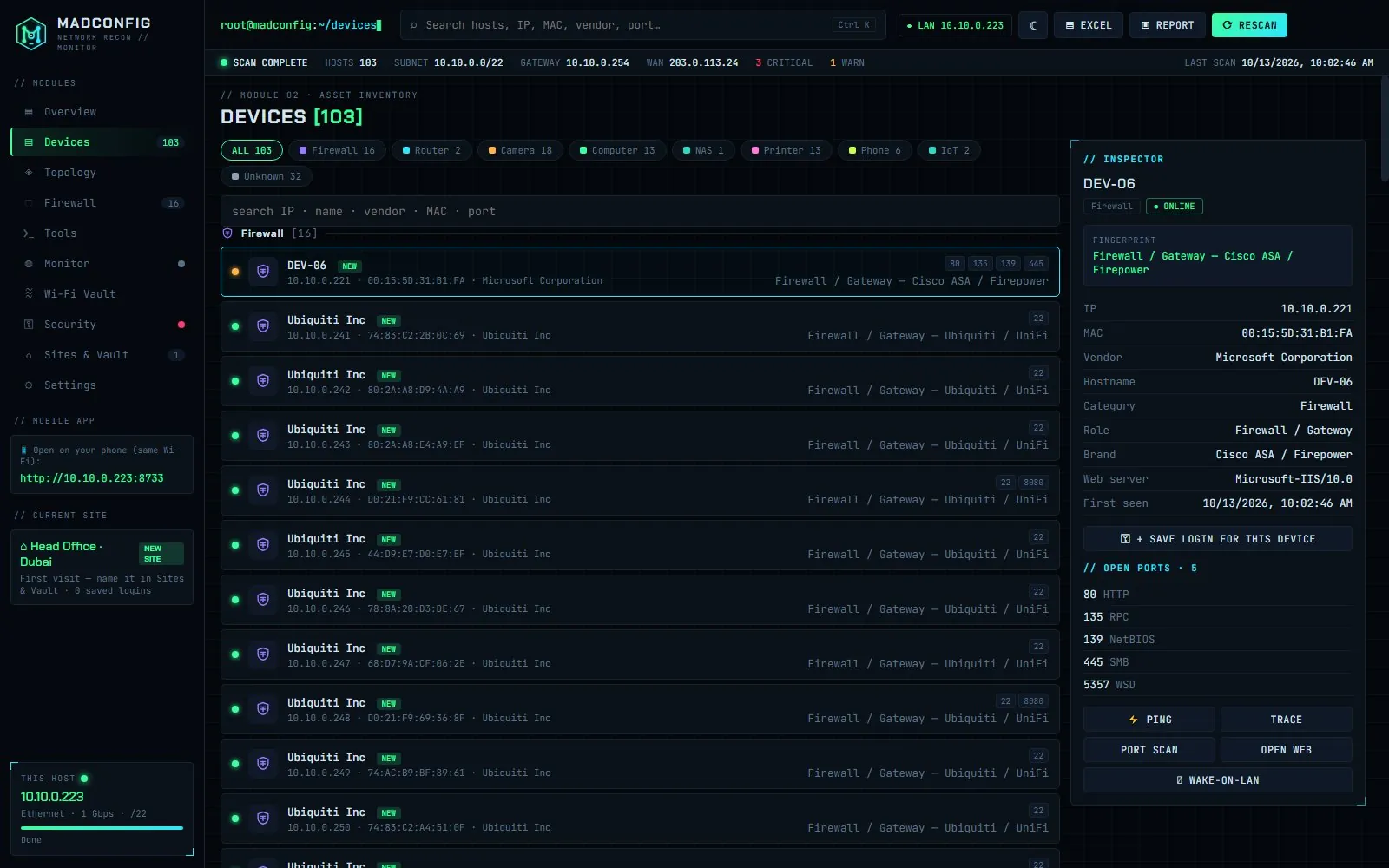
- Press scan. About a minute later the devices are grouped as Firewall, Router, Camera, Computer, NAS, Printer, Phone, TV and IoT.
- Madconfig recognises the office by its gateway and fills in the logins you saved on the last visit, matched by MAC address.
- Check the security score: open Telnet on a camera, RDP exposed on a server, a second DHCP server.
- Export a PDF report with the topology map for the client.
Which one should you use?
- Angry IP Scanner: you are on macOS or Linux, you want something free and scriptable, or you only need to know which IPs answer.
- Madconfig: you support offices on Windows, need to find cameras and firewalls quickly, want logins remembered per site, or have to hand over a report.
Also comparing Famatech's tool? Read Madconfig vs Advanced IP Scanner.
Scan only networks you own or are authorised to manage.