✎
Edit text & images
Change words, fix a number, swap or move an image right on the page, in the original font where the PDF allows it.
In place MADPDF
← Products
Download
MADPDF
← Products
Download
PDF editor for Windows
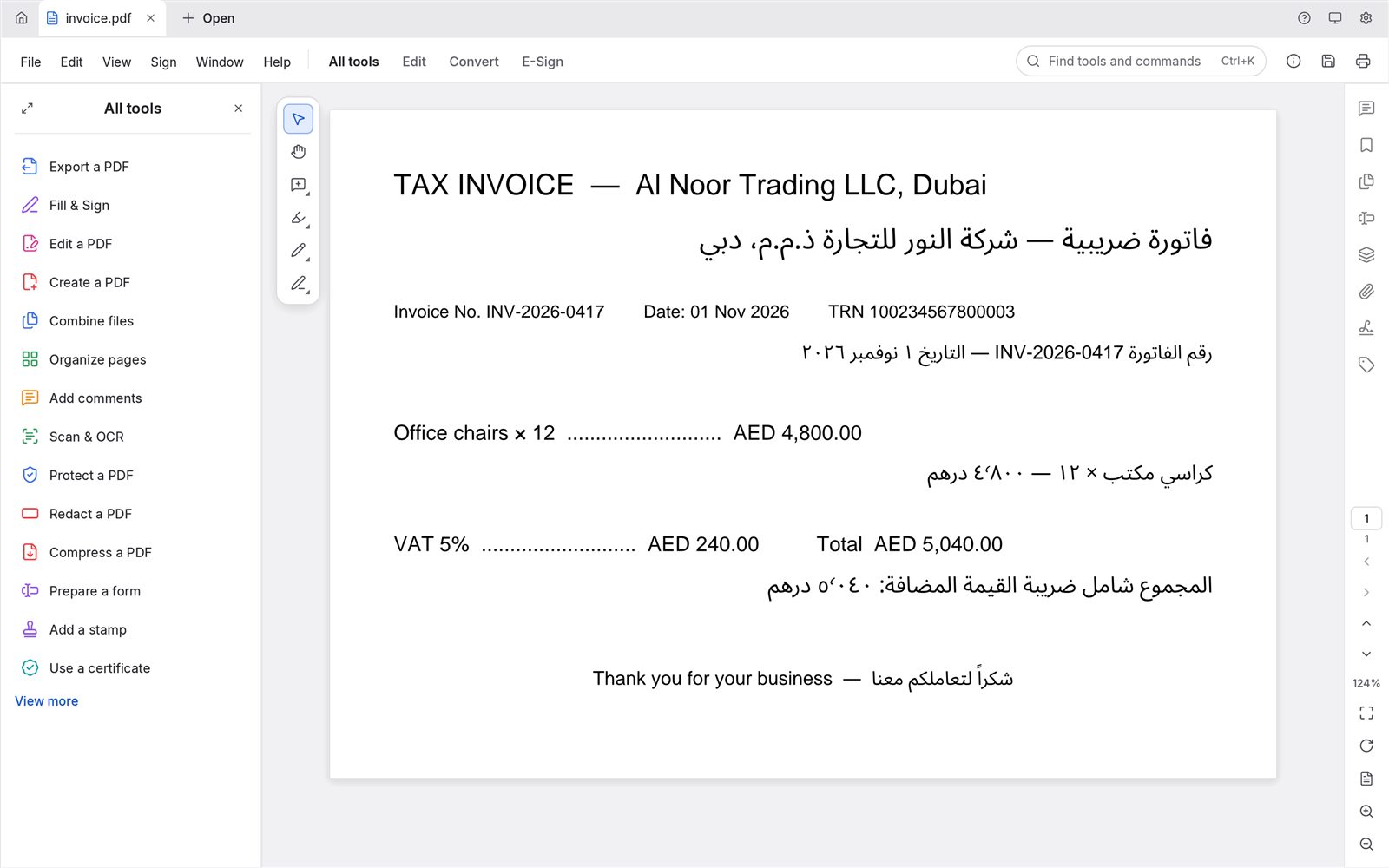
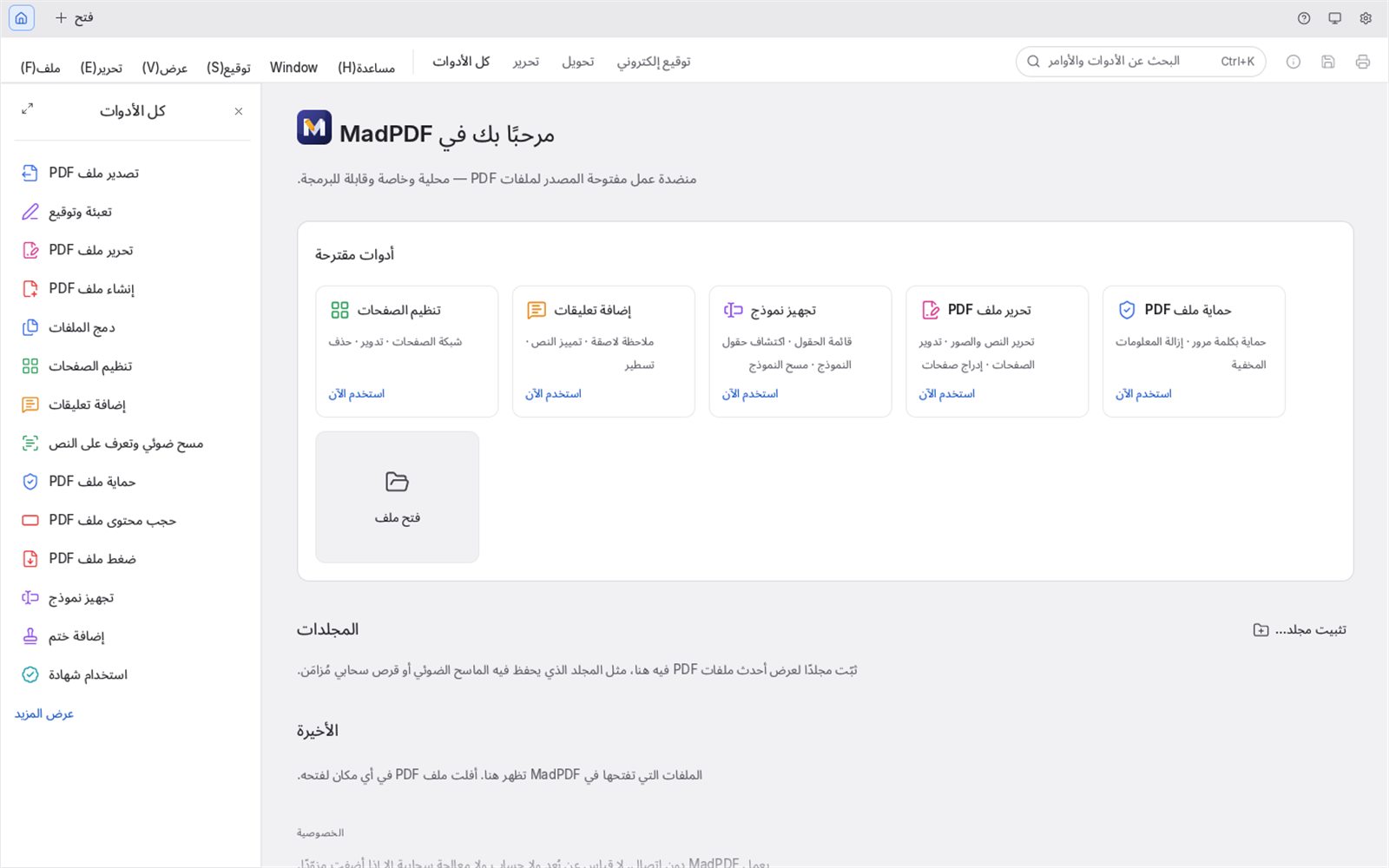
MadPDF edits, comments, fills and signs, converts, scans with OCR, protects and print-checks PDFs. It is built to match Adobe Acrobat Pro, runs entirely on your Windows PC, and works in English and Arabic from the first click.
// 01 · INSIDE THE APP


// 02 · WHAT IT DOES
Change words, fix a number, swap or move an image right on the page, in the original font where the PDF allows it.
In placeSticky notes, highlight, underline, strike-through, stamps and drawing tools, all listed in one comments panel.
ReviewFill any form, add your signature or initials, or build your own form: MadPDF can detect the fields for you.
FormsCombine files, split, extract, insert, rotate, reorder and delete pages in a page grid.
Combine · SplitTurn Word, Excel and PowerPoint files or images into PDF. Office files need the free LibreOffice installed on the same PC.
DOCX · XLSX · PPTX · JPGGet your PDF back into Word, Excel or PowerPoint to keep working on it.
Word · Excel · PowerPointRecognise text in scans and photos, in English and Arabic, and save searchable PDFs you can copy from.
English · العربيةPassword-protect, restrict printing or copying, permanently black out text, and remove hidden information.
Password · RedactSign with a certificate, add a trusted timestamp, and keep signatures verifiable for years with long-term validation.
Timestamp · LTVCheck files against archive and print standards, see what fails, and convert to PDF/A or PDF/X.
StandardsOutput Preview with separations and ink coverage, overprint simulation, and printer marks for the press.
CMYK · Spot · MarksUse every tool from the keyboard alone, and tag documents automatically so screen readers can follow them.
Keyboard · TagsPut two versions side by side and see exactly what changed in the text.
CompareMadPDF checks for new versions and offers to install them, so you are always on the latest fixes.
Always current// 03 · ENGLISH & ARABIC
Most PDF tools treat right-to-left text as an afterthought. MadPDF was built for offices in the UAE and the Gulf, where a single invoice mixes English and Arabic.
تقرير الأداء السنوي للشركة
“Annual company performance report”, read from a scan and made searchable.عدّل ووقّع ملفات PDF على جهازك، دون اتصال بالإنترنت.
“Edit and sign PDFs on your own device, offline.”// 04 · PRIVACY
Contracts, IDs, invoices, medical forms: MadPDF opens, edits and saves them without uploading anything. There is no account to create and no usage tracking.

// 05 · DOWNLOAD
v1.0.0 · ≈ 97 MB MSI installer · Windows 10 / 11 (64-bit)
The download starts right away: MadPDF-1.0.0-x64.msi (≈ 97 MB). Open it when it finishes to install MadPDF.
Creating PDFs from Word, Excel or PowerPoint files also needs LibreOffice, which is free. Everything else works out of the box.
That is normal for a new app from a small publisher, it is not a virus warning. Click More info, then Run anyway. If your browser says the file is not commonly downloaded, choose Keep. The installer contains only MadPDF, and updates come from our own release channel.
// 06 · LICENCES
Rolling MadPDF out across an office, or need invoices in your company's name? Tell us how many people will use it and we will get back to you with the options.
Contact us about licences// 07 · FAQ
Yes. Opening, editing, converting, OCR, signing and saving all happen on your PC. MadPDF only goes online when you check for updates, sign with a trusted timestamp, check whether a signing certificate was revoked, or send feedback.
To create a PDF from a Word, Excel or PowerPoint file, MadPDF uses LibreOffice, a free office suite, installed on the same PC. Images and PDFs don't need it. If LibreOffice is missing, MadPDF tells you instead of failing silently.
The interface is available in English and Arabic, you can type right to left and edit Arabic text that is already in a PDF, and Word and Excel exports keep Arabic right to left. OCR reads Arabic as well as English. If a document doesn't look right, please send it to us through Help ▸ Send Feedback.
MadPDF checks for new versions and offers to install them. You can also download the newest installer from this page at any time; installing it over the old version keeps your settings.
No. Your files never leave your PC, there is no account, and MadPDF sends no telemetry. The only thing we ever receive is a feedback report you choose to send, containing what you typed or attached plus the app version and Windows version. See the privacy policy.
A 64-bit PC with Windows 10 or Windows 11. The installer is about 97 MB.
In MadPDF, open Help ▸ Send Feedback, describe what happened and, if it helps, attach a screenshot. You can also email themahadyousaf@gmail.com.
Ask anything about MadPDF, or tell us what your office needs.