Method 1: ipconfig (fastest)
- Press Win + R, type
cmdand press Enter. - Run:
ipconfig - Find the adapter you are using (Wi-Fi or Ethernet) and read Default Gateway.
To show only the gateway line:
ipconfig | findstr /i "Gateway"If the Default Gateway is empty on every adapter, the PC isn't getting a proper network configuration. Check the cable or Wi-Fi, then run ipconfig /renew.
Method 2: PowerShell
Get-NetIPConfiguration | Where-Object IPv4DefaultGateway | Select-Object InterfaceAlias, IPv4Address, IPv4DefaultGatewayThis lists only the adapters that have a gateway, which is handy on laptops with VPN, Hyper-V or virtual adapters that clutter ipconfig. Another option is the routing table:
route print 0.0.0.0The Gateway column of the 0.0.0.0 line is the router your PC sends internet traffic to.
Method 3: Control Panel (no commands)
- Press Win + R, type
ncpa.cpland press Enter. - Double-click your active connection, then click Details….
- Read IPv4 Default Gateway.
On a phone it is just as quick: open Wi-Fi settings, tap the connected network and look for Router or Gateway.
Common default router IP addresses
If you can't run commands (for example on a locked-down PC), these are the usual suspects. Try them in a browser, but the Default Gateway from ipconfig is always the reliable answer.
| Address | Often used by |
|---|---|
192.168.1.1 | Many home and small-office routers |
192.168.0.1 | Many home routers and access points |
10.0.0.1 | Some ISP-supplied routers |
192.168.1.254 | Some ISP routers and modems |
192.168.8.1 / 192.168.100.1 | Some 4G/5G routers and fibre modems |
Office networks: firewall, modem and second routers
In an office the Default Gateway is often a firewall (FortiGate, Sophos, pfSense, MikroTik…), not the internet provider's router. To see what sits behind it, trace the path to the internet:
tracert -d 8.8.8.8Hop 1 is your gateway. If hop 2 is also a private address (192.168.x.x, 10.x.x.x or 172.16–31.x.x), that is the ISP's modem or router behind the firewall.
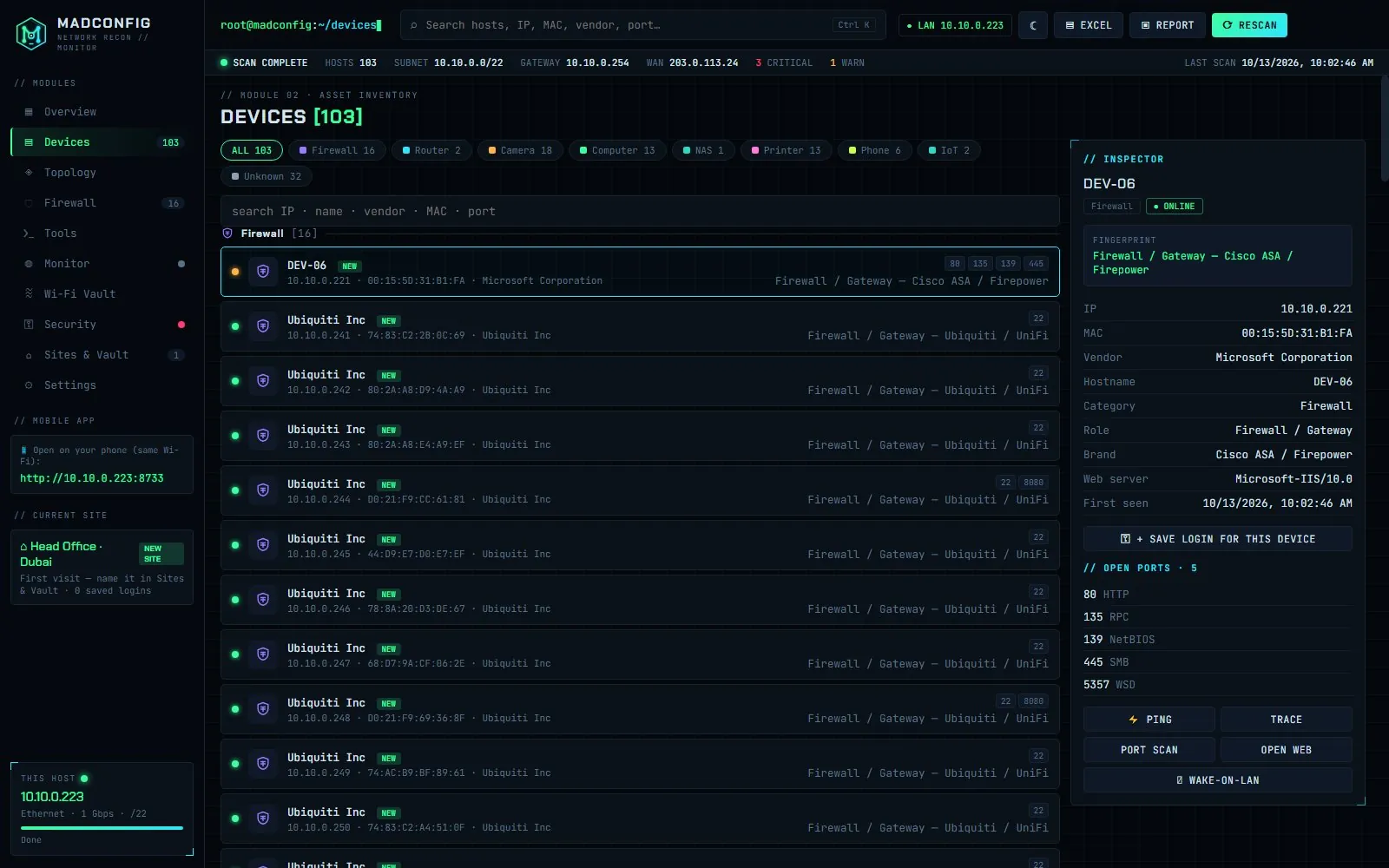
Extra routers and access points inside the network (for example a Wi-Fi router someone plugged in) don't show up in tracert at all. A network scan finds them: Madconfig sorts every device it finds into types such as Firewall, Router / Gateway, Network Device and Camera / NVR, so a stray router stands out. See also how to find all devices on your network.
The router page won't open
- Try https:// instead of http:// (or the other way round). Some routers only answer on one of them.
- Try another port:
http://192.168.1.1:8080orhttps://192.168.1.1:8443. - Certificate warning? Routers use self-signed certificates. It is safe to continue on your own network.
- Management disabled from the LAN: some firewalls only allow admin access from a specific interface or IP, and some ISP routers only from the provider's side.
- Wrong network: make sure you are on that router's Wi-Fi or cable, not a guest network or VPN.
To see which ports the gateway actually answers on, Madconfig lists each device's open ports and opens its web panel in one click.
FAQ
How do I find my router's IP address on Windows?
Run ipconfig and read the Default Gateway of your active adapter.
Is the default gateway the same as the router IP?
At home, yes. In offices it is often a firewall with the ISP modem behind it; see office networks.
What is the most common router IP address?
192.168.1.1 and 192.168.0.1, but check ipconfig instead of guessing. See common defaults.
How do I find the IP of other devices, not the router?
See how to find the IP address of any device on your network.